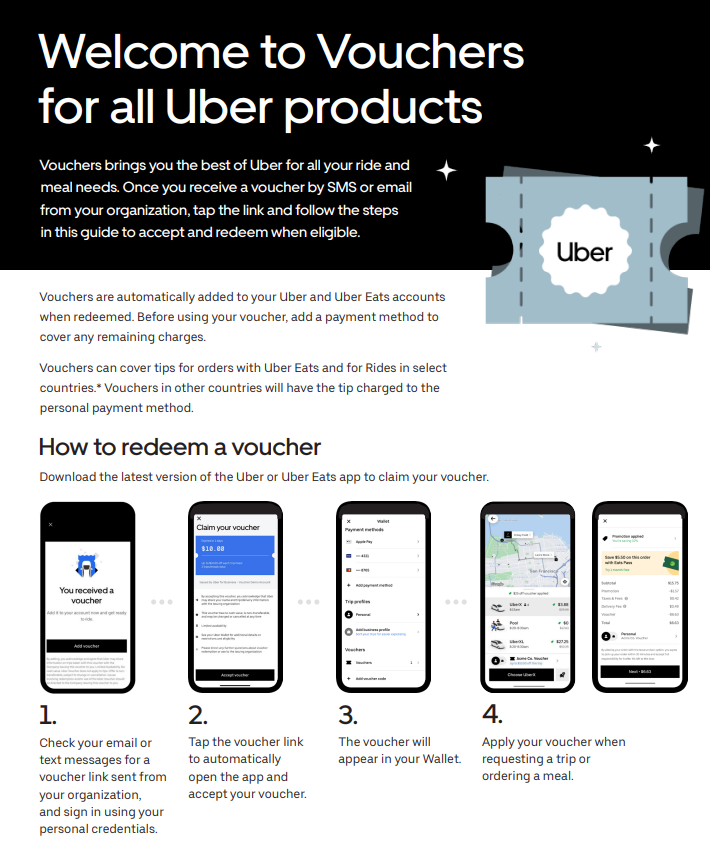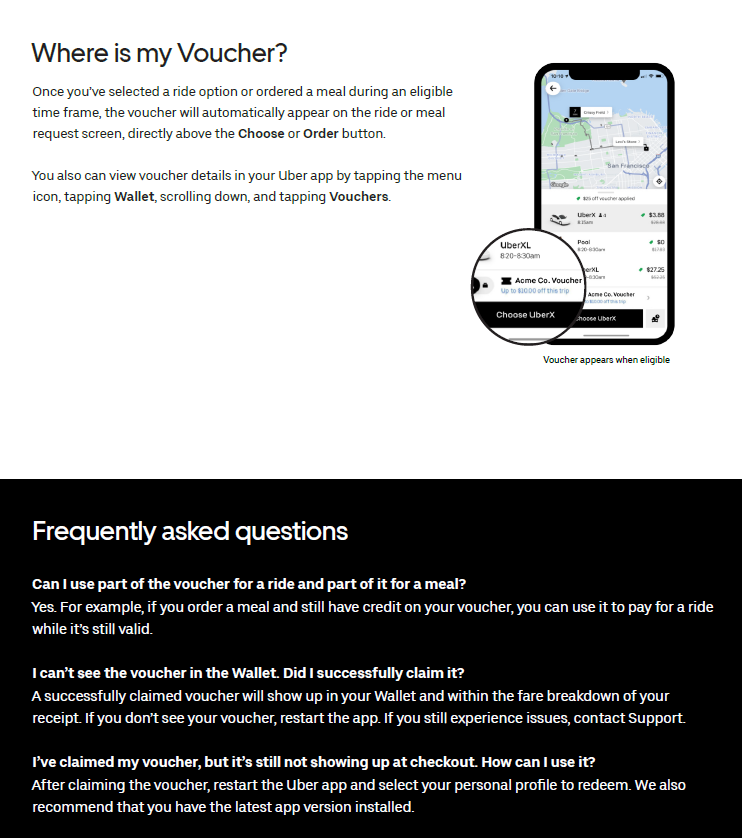
These steps can be completed before you travel, as soon as you receive your Uber voucher.
Your Uber voucher can only be used on the designated dates assigned by Hope Air as part of your medical travel. The Uber voucher is restricted and can only be used on the dates assigned and for travel between the arrival airport, hospital, hotel and back in the city where you are attending a medical appointment.
Should the total trip fare(s) or meal expense exceed the voucher amount, you are responsible for the payment of the excess fare amount. The excess amount, if any, would be automatically charged to your credit or debit card linked to your Uber account.
No gratuity is required
Further information on how Uber works is available on the Uber website at: https://www.uber.com/br/en/about/how-does-uber-work/
If you experience any issues with your Uber voucher, please contact Uber Support at https://help.uber.com/en/
Please see the step-by-step guide on how to redeem an Uber Voucher.